What Is Audio Codec? Complete Guide to Bluetooth Audio Codecs
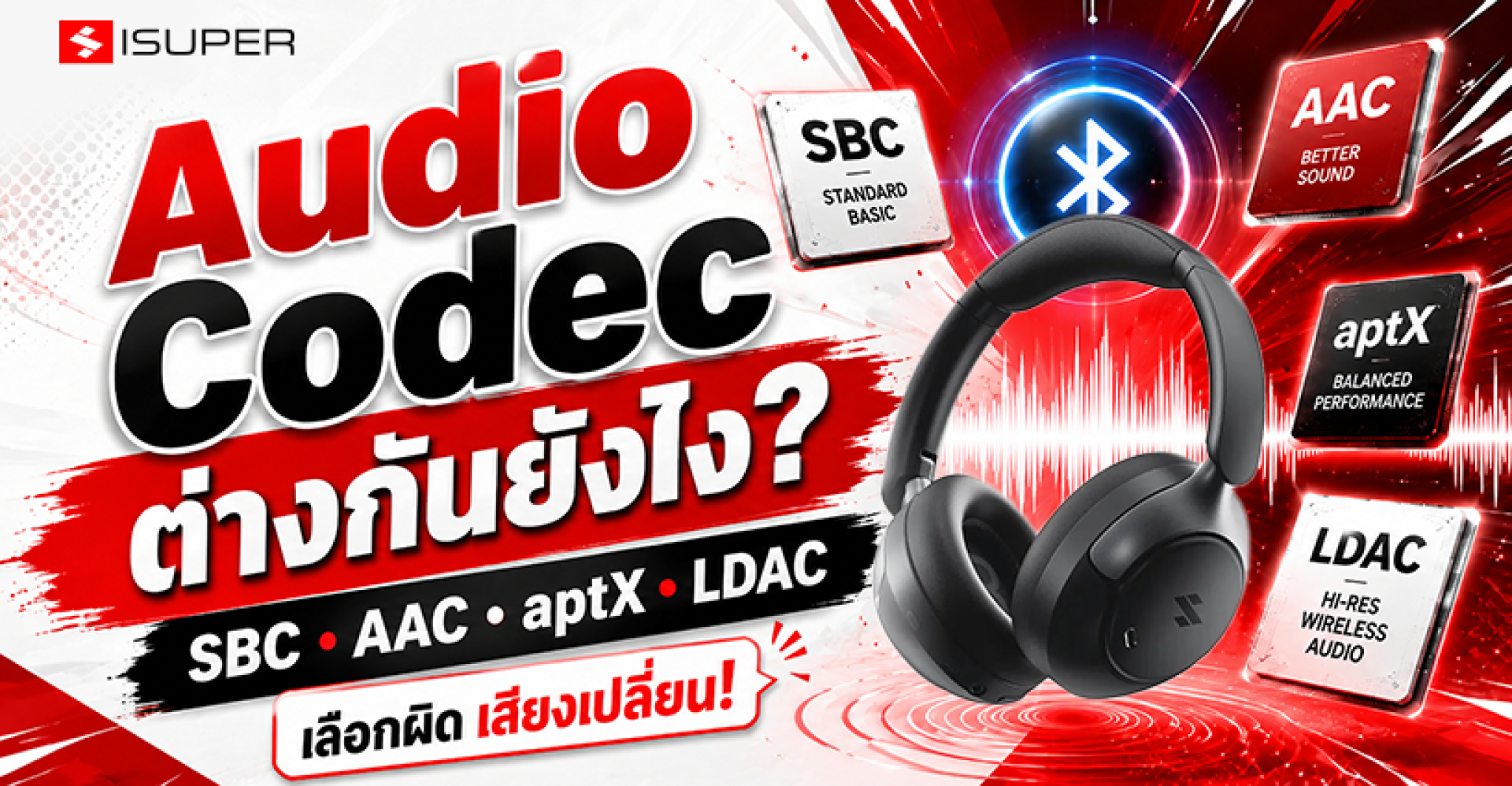
Have you ever wondered why two Bluetooth earbuds with similar specifications can sound completely different? One delivers crystal-clear vocals, deep bass, and impressive detail, while the other sounds flat, compressed, or lacking in clarityeven though both support wireless audio.
The answer isn't always the speaker driver or the tuning of the earbuds. One of the biggest factors behind wireless sound quality is something called an Audio Codec. This technology works behind the scenes every time you stream music from your smartphone, tablet, laptop, or other Bluetooth devices.
Whether you're listening through wireless earbuds, Bluetooth headphones, portable speakers, or even your car's infotainment system, an Audio Codec determines how digital audio is compressed, transmitted, and decoded before reaching your ears.
In this comprehensive guide, you'll learn what an Audio Codec is, how it works, why Bluetooth needs it, and how it affects sound quality. We'll also explain essential concepts such as bitrate, audio compression, and Bluetooth transmission, helping you make a more informed decision when choosing your next pair of Bluetooth headphones.
What Is an Audio Codec?
An Audio Codec (short for Audio Coding and Decoding) is a technology that compresses digital audio data before transmission and then decompresses it for playback.
When listening to music over Bluetooth, your smartphone cannot simply send the original audio file directly to your headphones. Raw audio files contain a massive amount of data, far exceeding what Bluetooth can efficiently transmit in real time.
Instead, the Audio Codec compresses the audio stream into a smaller size, allowing it to travel through Bluetooth with minimal delay. Once the data reaches your headphones, the codec decodes it back into audio that your headphone drivers can reproduce.
Without Audio Codecs, Bluetooth audio would require much higher bandwidth, consume more power, and suffer from frequent interruptions or unstable playback.
How Does an Audio Codec Work?
Imagine your favorite song as a large book containing thousands of pages of information. Sending every page through a narrow pipeline would take too long and create delays.
An Audio Codec acts like an intelligent translator. Instead of sending every single piece of information, it analyzes the audio, compresses the data efficiently, and transmits only what is necessary while attempting to preserve as much sound quality as possible.
Once the compressed data reaches your Bluetooth headphones, the codec reconstructs the audio signal so you can enjoy uninterrupted music playback.
Different codecs use different compression algorithms, which is why they vary in audio quality, latency, power consumption, and transmission stability.
Why Does Bluetooth Need an Audio Codec?
Although Bluetooth technology has improved significantly over the years, it still has limited bandwidth compared to wired connections such as USB or traditional audio cables.
For example, a high-resolution 24-bit/96kHz audio file contains millions of bits of information every second. Sending that data without compression would quickly exceed Bluetooth's available bandwidth.
This is why Bluetooth relies on Audio Codecs. They reduce the amount of data that needs to be transmitted while preserving as much of the original sound as possible.
Without efficient compression, Bluetooth audio would experience buffering, dropouts, excessive latency, and reduced battery life.
How Does an Audio Codec Affect Sound Quality?
Many people assume that buying expensive Bluetooth earbuds automatically guarantees better sound quality. In reality, the Audio Codec being used plays a major role in determining what you actually hear.
A more efficient codec can preserve greater detail, improve instrument separation, maintain vocal clarity, and deliver a wider soundstage during wireless transmission.
However, it's important to understand that an Audio Codec is only one part of the overall audio chain.
Sound quality also depends on several other factors, including:
- The quality of the original music file
- The Bluetooth Audio Codec in use
- The headphone's digital-to-analog converter (DAC)
- The headphone drivers
- DSP (Digital Signal Processing)
- The manufacturer's sound tuning
- The Bluetooth chipset inside both devices
Even the best codec cannot compensate for poor hardware or low-quality audio files.
Lossy vs Lossless Audio Compression
One of the most important concepts behind Audio Codecs is understanding the difference between Lossy and Lossless compression.
Lossy Compression
Lossy compression reduces file size by permanently removing parts of the audio that are considered less noticeable to human hearing.
Most Bluetooth codecsincluding SBC, AAC, aptX, and LDACuse various forms of lossy compression to balance sound quality, bandwidth, and battery efficiency.
Modern lossy codecs are highly sophisticated and can deliver excellent audio quality despite reducing the original file size.
Lossless Compression
Lossless compression reduces file size without permanently removing audio information.
After decompression, the reconstructed audio is identical to the original recording.
Popular lossless music formats include FLAC, ALAC, WAV, and AIFF.
Bluetooth technologies such as aptX Lossless are pushing wireless audio closer to true lossless playback, although hardware compatibility remains an important requirement.
What Is Bitrate?
Bitrate measures the amount of audio data transmitted every second, usually expressed in kilobits per second (kbps).
Higher bitrates generally allow more audio information to be transmitted, potentially improving sound quality. However, bitrate alone does not determine how good a codec sounds.
The efficiency of the codec's compression algorithm, hardware optimization, and the quality of the original audio source all contribute to the final listening experience.
For example, Apple's AAC implementation often delivers outstanding audio quality despite operating at a lower bitrate than some competing codecs because both iOS hardware and software are carefully optimized for AAC.
This demonstrates that codec efficiency is often more important than bitrate alone.
Is There a "Best" Audio Codec?
The short answer is no.
There is no universal Bluetooth codec that is perfect for every user or every device.
Some codecs prioritize maximum sound quality, while others focus on lower latency for gaming, improved battery efficiency, or better compatibility across different devices.
The ideal codec depends on your smartphone, headphones, music source, and listening preferences.
In the next section, we'll introduce today's most popular Bluetooth Audio Codecsincluding SBC, AAC, aptX, LDAC, LHDC, and LC3and explain the strengths of each technology before helping you choose the one that best fits your needs.
Popular Bluetooth Audio Codecs
Now that you understand how Audio Codecs work, the next question is: Which Bluetooth codec should you choose?
There isn't a single codec that's perfect for every situation. Each one is designed with different priorities, such as compatibility, sound quality, low latency, or power efficiency.
Today's Bluetooth devices commonly support codecs such as SBC, AAC, aptX, LDAC, LHDC, and the newer LC3 standard. Understanding their differences will help you choose headphones that match both your listening habits and your smartphone.
SBC (Subband Coding)
SBC is the mandatory Bluetooth Audio Codec supported by virtually every Bluetooth audio device on the market. Because of its universal compatibility, it serves as the default codec whenever no higher-quality codec is available.
While SBC provides reliable wireless audio performance for everyday listening, its sound quality is generally lower than newer codecs, especially when listening to high-quality music.
AAC (Advanced Audio Coding)AAC is the primary Bluetooth codec used by Apple devices, including the iPhone, iPad, Mac, AirPods, and Beats products. Apple has optimized both its hardware and software around AAC, allowing it to deliver excellent sound quality despite using relatively moderate bitrates.
If you're an Apple user, choosing Bluetooth headphones that support AAC is often the best decision for achieving the highest possible wireless audio quality.
aptX Family
The aptX family, developed by Qualcomm, includes several versions such as aptX, aptX HD, aptX Adaptive, and aptX Lossless. These codecs are designed to improve audio quality while also reducing latency, making them popular among Android users with compatible Snapdragon-powered devices.
Depending on the version, aptX can prioritize high-resolution audio, adaptive performance, or near-lossless wireless transmission.
LDAC
Developed by Sony, LDAC is one of the most well-known Bluetooth codecs for Hi-Res Audio. Under optimal conditions, it can transmit significantly more audio data than standard Bluetooth codecs, allowing listeners to enjoy greater musical detail and a more immersive listening experience.
To fully benefit from LDAC, both the smartphone and the headphones must support the codec, and high-quality music sources are recommended.
LHDC and LC3
In addition to the most widely used codecs, newer technologies continue to emerge.
LHDC focuses on high-resolution wireless audio transmission, while LC3 is the next-generation codec designed for Bluetooth LE Audio. LC3 delivers better audio quality than SBC at lower bitrates while significantly improving power efficiency, making it ideal for future wireless audio devices.
This article provides an overview of today's most popular Bluetooth audio codecs. If you'd like a detailed comparison of AAC, aptX, and LDACincluding sound quality, bitrate, compatibility, and real-world performanceread our complete guide below.
AAC, aptX, and LDAC Explained: Which Bluetooth Audio Codec Should You Choose?
Why Doesn't My Phone Always Use LDAC or aptX?
Many users purchase Bluetooth headphones that advertise support for LDAC or aptX, only to discover that their phone connects using AAC or even SBC instead.
This behavior is completely normal.
When a Bluetooth connection is established, both devices automatically negotiate and select the highest-quality codec that both devices support.
If your smartphone doesn't support LDAC, your headphones cannot force the connection to use it. Instead, Bluetooth falls back to another compatible codec such as AAC or SBC.
For example, Apple's iPhone does not support LDAC or aptX, so Bluetooth headphones connected to an iPhone will typically use AAC instead.
Likewise, some Android smartphones support only AAC and SBC, while others support advanced codecs including aptX Adaptive, LDAC, or LHDC.
For the best wireless audio experience, always verify codec compatibility on both your smartphone and your Bluetooth headphones before making a purchase.
Choosing the Right Audio Codec Matters
Although codec specifications are often overlooked, they have a direct impact on your wireless listening experience.
Selecting Bluetooth headphones that support the same codec as your smartphone allows both devices to communicate more efficiently, delivering better sound quality, lower latency, and more stable wireless performance.
However, remember that an Audio Codec is only one part of the equation. Music source quality, headphone hardware, Bluetooth chipset, and software optimization all contribute to the final listening experience.
In the following sections, we'll explore Bluetooth Audio Profiles, latency, Bluetooth LE Audio, and other technologies that work alongside Audio Codecs to shape the future of wireless audio.
Why Do Bluetooth Audio Profiles Matter?
When discussing wireless audio, most people focus on codecs such as AAC, aptX, or LDAC. However, another important technology works behind the scenes every time you connect your Bluetooth headphones: Bluetooth Audio Profiles.
Think of an Audio Codec as the language used to compress and transmit sound, while a Bluetooth Profile defines how that sound is delivered and what type of audio communication is taking place.
This is why Bluetooth headphones may behave differently when listening to music, making phone calls, attending online meetings, or playing gameseven when using the same pair of headphones.
What Is A2DP?
A2DP (Advanced Audio Distribution Profile) is the Bluetooth profile responsible for high-quality stereo audio streaming.
Whenever you stream music from Spotify, Apple Music, YouTube Music, TIDAL, Amazon Music, or other music services, A2DP is the profile being used.
Popular Bluetooth audio codecs including SBC, AAC, aptX, aptX HD, aptX Adaptive, LDAC, LHDC, and LC3 all operate through A2DP when delivering music playback.
What Is HFP?
HFP (Hands-Free Profile) is designed specifically for voice communication, such as phone calls, video conferences, and voice assistants.
Unlike music playback, phone conversations prioritize voice clarity and connection stability rather than high-fidelity sound.
Because of this, your headphones may automatically switch to a different voice codec during a phone call, which explains why music quality often changes while you're talking.
This behavior is completely normal and does not indicate a problem with your headphones.
What Is AVRCP?
AVRCP (Audio/Video Remote Control Profile) allows Bluetooth headphones to remotely control media playback.
Functions such as Play, Pause, Next Track, Previous Track, Volume Control, and displaying song information all rely on AVRCP rather than the audio codec itself.
Although AVRCP does not directly affect sound quality, it significantly improves the overall user experience.
Does an Audio Codec Affect Gaming Latency?
Yesbut not in the way many people think.
Sound quality and latency are two separate characteristics of Bluetooth audio.
Latency refers to the delay between an action on your device and the moment you hear the corresponding sound.
For example, during gaming, excessive latency can cause footsteps, gunshots, or dialogue to be heard noticeably after they appear on screen.
Some codecs, such as aptX Adaptive, are specifically designed to balance sound quality with lower latency by dynamically adjusting transmission according to wireless conditions.
Other codecs, such as LDAC, prioritize maximum audio quality, which may result in slightly higher latency under certain conditions.
However, codec selection is only one factor. Bluetooth chipset performance, firmware optimization, game mode, and overall hardware design also contribute to latency.
Does an Audio Codec Affect Active Noise Cancellation (ANC)?
This is one of the most common misconceptions about Bluetooth audio.
In reality, Audio Codecs do not directly improve Active Noise Cancellation (ANC).
ANC uses dedicated microphones to detect environmental noise and generates an inverse sound wave to reduce unwanted sounds before they reach your ears.
Meanwhile, the Audio Codec is responsible only for transmitting your music wirelessly.
Although both technologies operate simultaneously, they perform completely different tasks.
Does an Audio Codec Improve Call Quality?
Not necessarily.
The Bluetooth codec used for music playback is often different from the codec used during voice calls.
Call quality depends on multiple factors, including microphone quality, beamforming technology, AI noise reduction algorithms, Bluetooth profiles, and the software processing implemented by the headphone manufacturer.
As a result, Bluetooth headphones supporting LDAC or aptX Lossless do not automatically provide better microphone quality than headphones using AAC.
What Is Bluetooth LE Audio?
Bluetooth LE Audio represents the next major evolution of wireless audio technology.
Unlike traditional Bluetooth audio, LE Audio introduces a more efficient architecture that reduces power consumption while improving wireless performance.
One of its most important innovations is the introduction of the LC3 (Low Complexity Communication Codec).
Compared to SBC, LC3 can deliver better audio quality at lower bitrates, allowing devices to consume less power without sacrificing listening quality.
Bluetooth LE Audio also enables new features such as Auracast Broadcast Audio, allowing a single audio source to broadcast sound to multiple compatible devices simultaneously.
The Future of Bluetooth Audio
Wireless audio technology continues to evolve rapidly.
Modern codecs such as LDAC, aptX Lossless, LHDC, and LC3 demonstrate how Bluetooth audio is approaching the quality once reserved for wired headphones.
At the same time, advancements in Bluetooth LE Audio, AI-powered sound processing, adaptive bitrate technologies, and more efficient wireless chipsets continue to improve sound quality, battery life, and connection stability.
As more smartphones, tablets, laptops, and wireless headphones adopt these technologies, users can expect an increasingly seamless and immersive listening experience in the years ahead.
Bluetooth Audio Codec Comparison
The table below provides a quick overview of today's most popular Bluetooth audio codecs. While bitrate is an important specification, it should not be considered the only indicator of sound quality. Hardware optimization, codec efficiency, and the quality of the original audio source all contribute to the final listening experience.
| Audio Codec | Key Advantages | Best For |
|---|---|---|
| SBC | Universal compatibility with all Bluetooth devices | Everyday music listening and general multimedia use |
| AAC | Excellent performance on Apple devices with efficient compression | iPhone, iPad, Mac, AirPods, and Apple users |
| aptX | Improved sound quality with lower latency | Compatible Android smartphones and wireless headphones |
| aptX HD / Adaptive / Lossless | Higher-resolution audio, adaptive performance, and low latency | Android users seeking premium wireless audio |
| LDAC | High-bitrate wireless transmission for Hi-Res Audio | Audiophiles and Hi-Res music enthusiasts |
| LHDC | High-resolution wireless audio with excellent detail | Devices supporting the LHDC standard |
| LC3 | Better efficiency and lower power consumption for Bluetooth LE Audio | Next-generation Bluetooth audio devices |
How to Check Which Audio Codec Your Device Supports
Before purchasing Bluetooth headphones, it's important to verify that both your smartphone and headphones support the same audio codec. Bluetooth will always negotiate the highest-quality codec available on both devices.
- Check the official specifications provided by the smartphone manufacturer.
- Review the product specifications of your Bluetooth headphones.
- On Android devices, you can view the active Bluetooth codec through Developer Options.
- On iPhone and iPad, iOS automatically selects the most compatible supported codec, typically AAC.
Frequently Asked Questions (FAQ)
What is an Audio Codec?
An Audio Codec is a technology that compresses and decompresses digital audio data, enabling efficient wireless transmission over Bluetooth while maintaining the best possible sound quality.
Which Bluetooth Audio Codec is the best?
There is no single best codec for every situation. The ideal codec depends on your smartphone, headphones, operating system, and listening preferences. Apple users typically benefit from AAC, while many Android devices support advanced codecs such as aptX Adaptive or LDAC.
Is LDAC better than AAC?
LDAC supports higher wireless data rates and is designed for Hi-Res Audio playback. However, AAC remains the optimal choice for Apple devices because it is deeply optimized within the Apple ecosystem.
Does a higher bitrate always mean better sound quality?
No. While higher bitrates allow more audio data to be transmitted, codec efficiency, hardware optimization, digital signal processing (DSP), and source audio quality all influence the final listening experience.
Does an Audio Codec affect phone call quality?
Not directly. Voice calls typically use different Bluetooth profiles and voice codecs than music playback, so microphone quality depends more on the headset's hardware and noise reduction technology.
Can I manually change the Bluetooth Audio Codec?
Many Android smartphones allow users to manually select a Bluetooth Audio Codec through Developer Options, provided both the smartphone and connected headphones support the selected codec.
Conclusion
Although Audio Codecs often work behind the scenes, they play a critical role in determining the quality of your wireless listening experience.
From universal codecs like SBC to premium technologies such as AAC, aptX, LDAC, LHDC, and the next-generation LC3 codec, each solution is designed to balance sound quality, latency, power efficiency, and compatibility in different ways.
Choosing the right Bluetooth headphones isn't simply about selecting the codec with the highest bitrate. Instead, it's about ensuring your smartphone, headphones, and music source all work together seamlessly to deliver the best possible performance.
By understanding how Bluetooth Audio Codecs function, you'll be better equipped to choose wireless headphones that match your listening habits, whether you're enjoying Hi-Res Audio, streaming music, watching movies, attending online meetings, or playing mobile games.
As Bluetooth technology continues to evolve through innovations like Bluetooth LE Audio and LC3, wireless sound quality will continue to move closer to the performance traditionally associated with wired audio systems.