Reset Air Purifier Filter Do You Need to Reset Filter Life After Replacement?
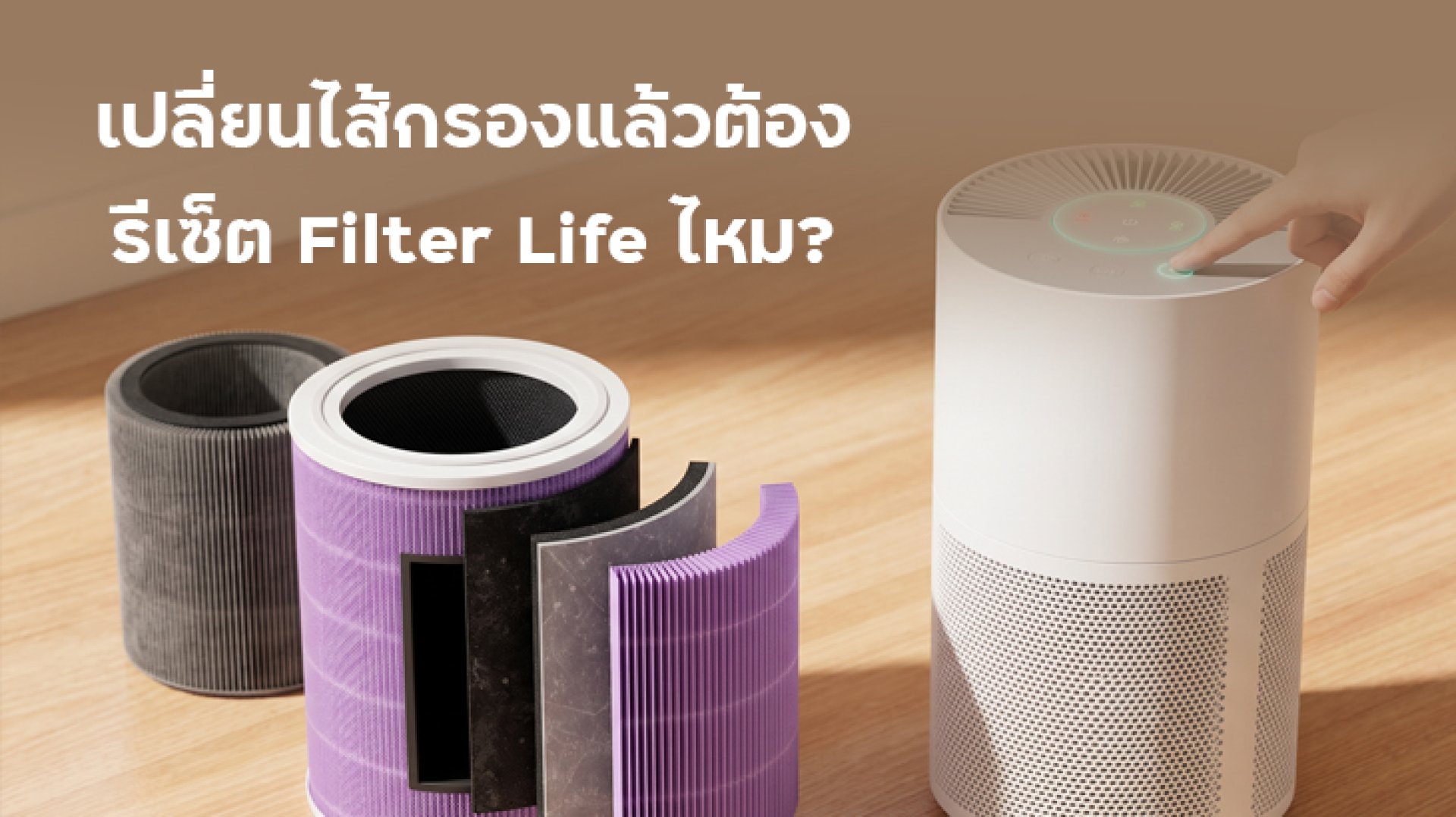
Should you reset your air purifier filter after installing a new one? In many cases, yesbut it depends on your air purifier model. Many devices have a Filter Life feature that tracks the estimated remaining service life of the filter. If you replace the filter without resetting the system on a model that requires manual resetting, the device may continue displaying the old filter status or remind you to replace a filter that is already new. However, some models can automatically recognize compatible replacement filters, so manual resetting may not be necessary.
The correct procedure depends on how your air purifier manages filter-life information. Before resetting the filter, check the manufacturer's instructions for your specific model. Some devices use a button combination, while others provide a reset option in their companion app. This guide explains what Filter Life means, when to reset it, how to troubleshoot a warning that remains after replacement, and how to keep your filter-status information accurate.
What Is Filter Life, and Why Should You Reset an Air Purifier Filter?
Filter Life is a feature that estimates or displays the remaining service life of an air purifier filter. Depending on the model, the information may appear as a percentage, a number of remaining days, a status indicator, or a replacement reminder on the device or its companion app.
Different air purifiers calculate filter life in different ways. Some estimate it based on operating time, fan speed, or other usage information. Others use a supported identification system to recognize compatible filters. As a result, the displayed percentage is not a universal measurement of the filter's actual condition across all devices.
When you reset an air purifier filter, you tell the system that a replacement has been installed. On models that require manual resetting, this allows the filter-life calculation or reminder to start a new cycle according to the manufacturer's settings.
Without a reset, a model that relies on manual input may continue using information from the previous filter. The purifier might still display a low filter-life percentage or show a replacement warning even though a new filter has been installed.
Do You Need to Reset Filter Life Every Time You Replace a Filter?
Not every air purifier requires a manual reset. Filter-management systems vary by model, but they generally fall into two categories.
1. Models That Require a Manual Filter Reset
Some air purifiers require users to reset the filter-life indicator after installing a new filter. If you skip this step, the device may continue displaying the previous filter's status or keep showing a replacement reminder.
The reset procedure can vary. A model may require you to press and hold a specific button, use a combination of controls, or open a filter-management menu in the companion app. Always check the manual for the exact instructions instead of assuming that the same button sequence works across an entire product range.
For example, Xiaomi's support documentation for the Xiaomi Smart Air Purifier 4 Compact describes a filter-reset procedure involving the power button while the device is in standby mode. The documented procedure specifies holding the button for seven seconds. Other Xiaomi models may use different controls or filter-management systems, so confirm the instructions for your exact model before trying this method.
2. Models That Automatically Recognize Replacement Filters
Some air purifiers use RFID or another supported identification system to recognize a compatible replacement filter. When the new filter is installed, the device may automatically update its filter-life information without requiring a manual reset.
For example, Xiaomi support documentation describes automatic filter recognition on the Mijia Smart Air Purifier 6, which uses an RFID system. In contrast, the Mijia Smart Air Purifier Max requires users to reset the filter life manually. This illustrates why you should not assume that every model from the same manufacturer uses the same procedure.
The key takeaway: Before you reset an air purifier filter, identify your exact model and check its instructions. If the device automatically recognizes a compatible replacement filter, a manual reset may not be needed.
What to Do Before Resetting an Air Purifier Filter
Before you reset the filter-life indicator, make sure that the replacement has actually been installed and that the filter compartment is properly closed. This helps prevent the system from starting a new filter-life cycle while the old filter is still in use.
- Identify your air purifier model. Check the product label, packaging, user manual, or companion app. The exact model name helps you find the correct reset procedure.
- Turn off the device and unplug it. If you need to open the filter compartment, follow the manufacturer's safety instructions before removing any components.
- Remove the old filter. Handle it carefully to avoid spreading accumulated dust. Follow local disposal guidance where applicable.
- Unpack the new filter. Remove all protective plastic and packaging before installation. Leaving the filter wrapped can obstruct airflow.
- Install the filter correctly. Follow the indicated orientation and ensure that the filter sits securely in its compartment.
- Close the compartment and follow the reset procedure. Restore power as instructed, then reset the filter-life indicator if your model requires it.
Do not reset the filter indicator simply to turn off a warning if you have not replaced the filter when replacement is necessary. A reset changes the system's filter-life information; it does not restore the performance of an old filter.
How to Reset Filter Life on Different Air Purifier Models
The exact procedure for resetting an air purifier filter depends on the manufacturer's design. The following table outlines common approaches, but it is not a universal set of instructions for every model.
| Reset method | Typical procedure | What to check |
|---|---|---|
| Button on the device | Press or hold the designated button as instructed in the manual. | Correct button, device mode, and confirmation signal. |
| Remote control | Use the designated filter-reset control if the model supports it. | Confirm that the button is intended for filter resetting. |
| Companion app | Open the device settings or filter-life menu and select the reset option if available. | Check the connection and the menu available for your model and app version. |
| Automatic recognition | Install a supported replacement filter and allow the device to identify it. | Confirm filter compatibility and correct installation. |
If you own a Xiaomi air purifier or another brand with several models, do not assume that all devices use the same reset method. Search the manufacturer's official support website using the exact model name. This reduces the risk of using an incorrect button sequence or changing another setting unintentionally.
Why Is the Filter Warning Still On After Replacing the Filter?
If the warning remains after you replace the filter, it does not necessarily mean that the purifier is faulty. The reset may not have completed, the filter may not be installed correctly, or the device may not recognize the replacement. Check the following possibilities one at a time.
1. The Filter Life Indicator Has Not Been Reset
If your model requires a manual reset, the displayed filter status may remain unchanged until you complete the procedure. Check the manual, follow the correct steps, and then verify whether the display or app shows the updated filter status.
2. The Filter Is Not Properly Seated
A filter that is misaligned or a compartment cover that is not fully closed may prevent normal operation or trigger a warning. Turn off and unplug the purifier before checking the installation. Follow the manufacturer's instructions for positioning the filter and securing the cover.
3. The Replacement Filter Is Incompatible
Some purifiers require filters with specific dimensions, designs, or identification features. An incompatible replacement may not fit correctly or may not be recognized by the device. Check the filter's product code and compatibility information before purchasing another one.
4. The Companion App Has Not Updated
If the purifier itself shows the correct status but the app still displays an old warning, check the connection between the device and the app. Allow time for the status to synchronize, then reopen the app and check again. The available menus and synchronization behavior may differ by model and software version.
5. The Warning Indicates a Different Problem
Not every warning light relates to filter replacement. Some indicators or error codes may signal a separate operating issue. If the device displays an unfamiliar code or behaves abnormally, consult the user manual or contact the manufacturer's support team rather than repeatedly resetting the filter indicator.
How Often Should You Replace an Air Purifier Filter After Resetting It?
Resetting an air purifier filter does not determine how long the new filter will last. Actual service life depends on the filter type, purifier model, operating hours, dust levels, and conditions in your home.
Some manufacturers recommend replacing certain filters approximately every six to twelve months, but this is not a universal schedule. Always follow the guidance for your specific model and consider the device's filter-life indicator alongside the manufacturer's replacement recommendations.
A home near a busy road, in a dusty environment, or where the purifier runs for long periods may place a greater load on the filter. Cooking fumes and other airborne particles can also affect how quickly a filter accumulates contaminants. In a cleaner environment, the filter may last longer. However, a percentage displayed on the device should not be treated as a perfect measurement of the filter's physical condition.
After installing a new filter, reset the filter-life indicator if required by your model and verify that the status updates correctly. This helps keep future replacement reminders aligned with the new filter's usage cycle.
Frequently Asked Questions About Resetting Air Purifier Filters
What happens if I replace the filter but do not reset it?
On models that require manual resetting, the purifier may continue displaying the previous filter's remaining life or show a replacement reminder. Models that automatically recognize compatible filters may update their status without manual intervention. Check your model's manual to confirm.
Can I reset Filter Life without replacing the filter?
You should not reset the indicator simply to clear a warning. Doing so may cause the displayed filter-life information to become inaccurate. Check the filter's condition and follow the manufacturer's replacement guidance before resetting.
Should Filter Life return to 100% after a reset?
Not necessarily. Display formats and reset behavior differ between models. Some show a percentage, while others use a status indicator or confirmation signal. Refer to your device's manual to understand the expected result.
Can I reset the purifier after installing a third-party filter?
That depends on the purifier and the replacement filter's compatibility. Models that use filter-identification systems may not recognize every third-party filter. Check the manufacturer's compatibility guidance before buying or installing a replacement.
What should I do if the warning remains after resetting?
Check the reset procedure, filter installation, and filter compatibility. If the warning persists or the device displays an unfamiliar error code, consult the user manual or contact the manufacturer's support team.
Conclusion: Check Filter Life After Replacing Your Air Purifier Filter
You may need to reset an air purifier filter after replacement, but the requirement depends on the model. Devices that require manual resetting should be reset according to the manufacturer's instructions, while models that automatically recognize compatible filters may not need an additional step.
If the warning remains after replacement, check the installation, reset procedure, and filter compatibility before assuming that the purifier is faulty. Avoid repeatedly pressing buttons without knowing their function, and do not reset the indicator simply to hide a warning when the filter has not been replaced as recommended.
Following the correct procedure helps keep Filter Life information and replacement reminders more consistent with the filter's usage cycle.
References